Reflex Motorsport

FAQ

The site is the league office: championship pages everyone can watch, a Team Principal desk for roster and cap work, and a live draft room for constructor and driver night. Discord still hosts the community — this is where the grid lives.

Getting in

How do I sign in?

Use Sign in with Discord in the header. Your Reflex roles (Team Principal, Race Control, driver) come from the Discord server — we never ask you to pick a role on the site.

Where is this FAQ after I sign in?

Click your name and avatar in the top-right. FAQ is in that menu, next to Team Principal (if you have the role) and Sign out.

Can I add this to my phone’s home screen?

Yes. It opens like its own app (no browser chrome), with the Reflex mark as the icon. On iPhone, tap Share → Add to Home Screen. On Android, open the browser menu and choose Add to Home screen or Install app.

I race, but I’m not a Team Principal. What do I use?

Join F1 to get on the driver list. After that, F1 home, standings, schedule, teams, and your driver profile (from the same account menu) are the public championship. Endurance signup is separate under Endurance.

What’s live now

RMF1 is the flagship. The public site already runs like a league broadcast; Team Principals get a private office on top of that.

  • F1 championship hub — next race, title fight, driver directory, constructor marks.
  • Standings & calendar — drivers and constructors by division, lights-out in your local time.
  • Teams & contracts — roster, salary cap used / remaining, constructor logos.
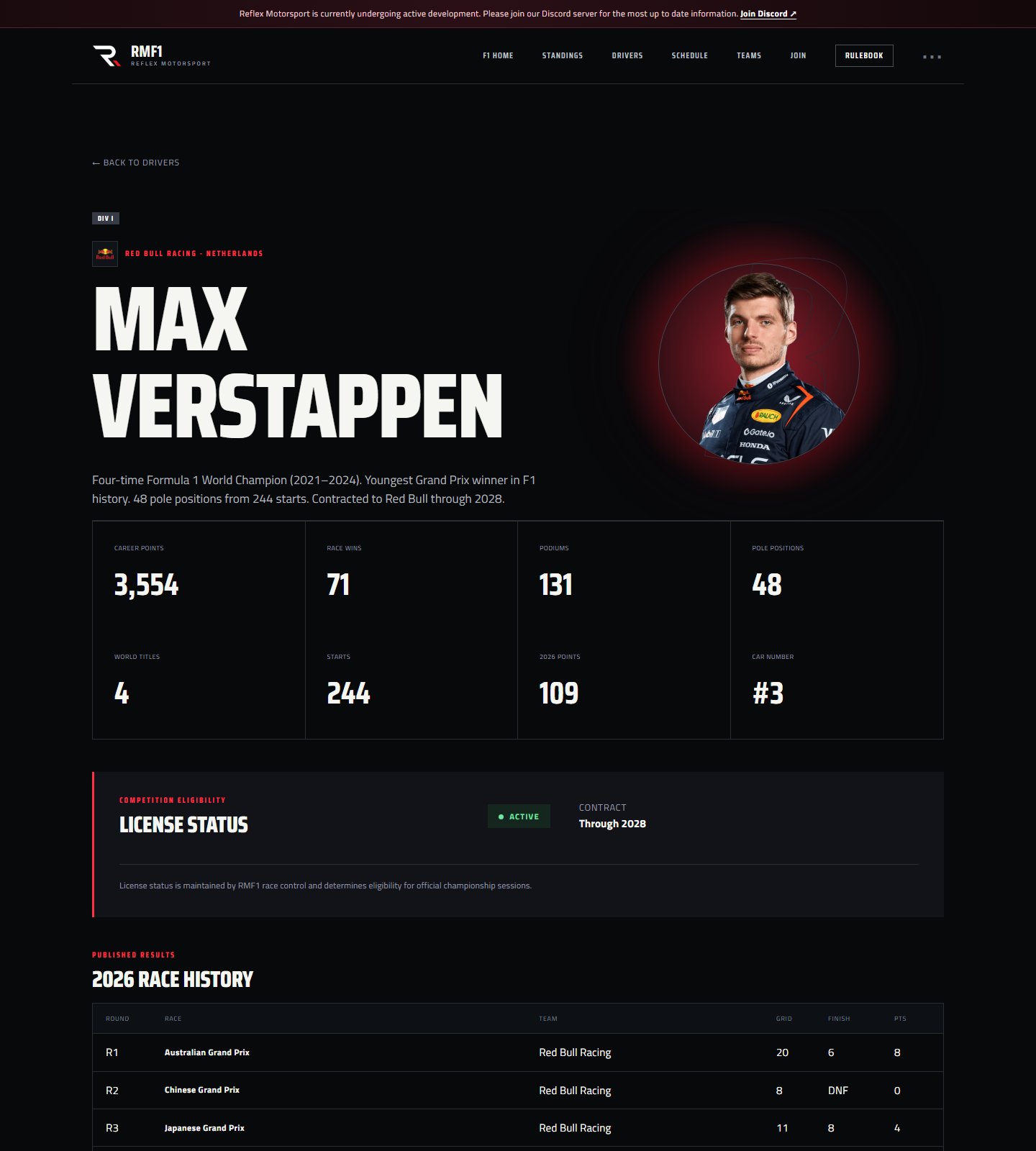
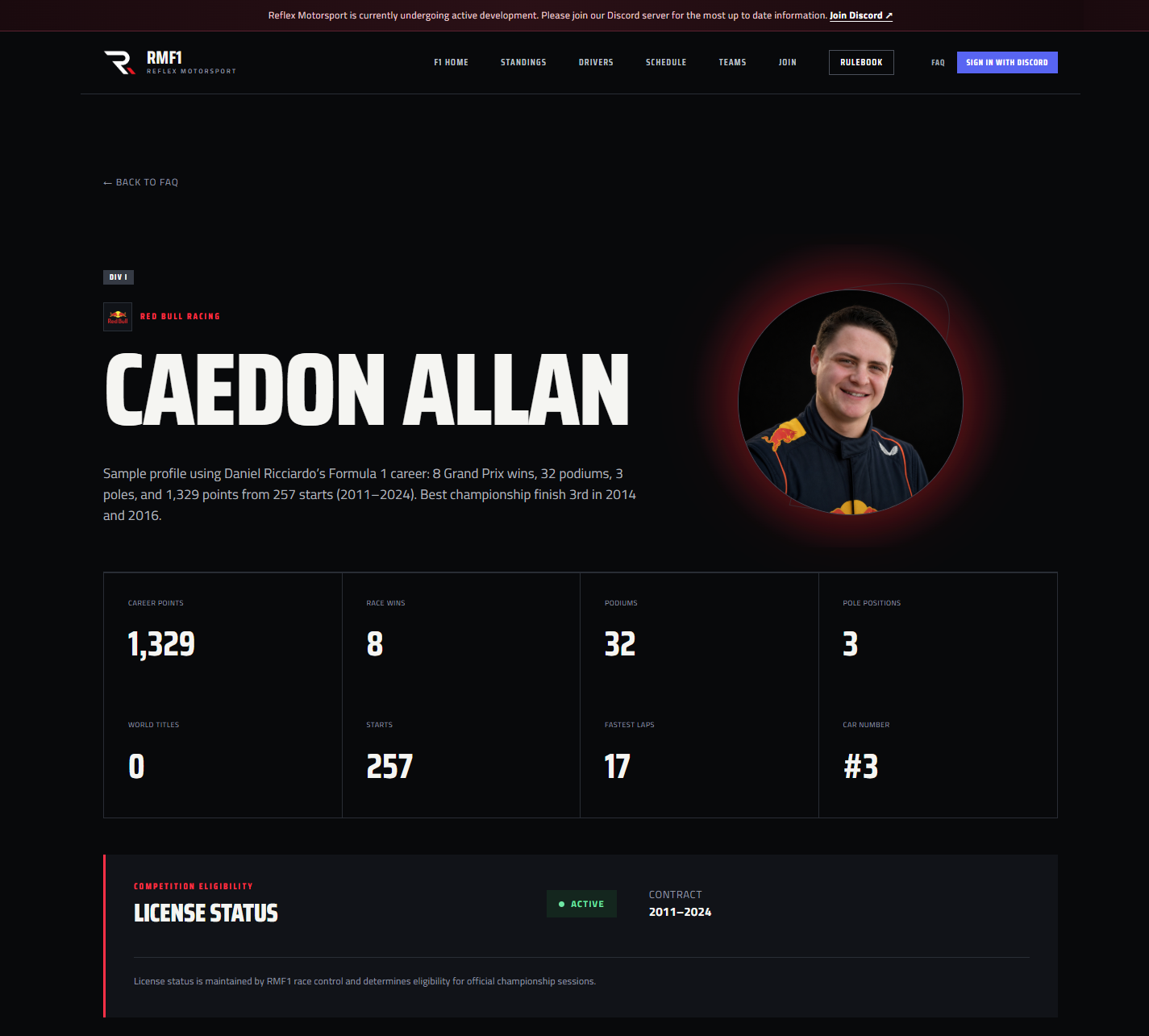
  • Driver profiles — bio, number, license, season stats. Edit your own page when signed in. See sample pages for Max Verstappen and Caedon Allan (Ricciardo career stats).
  • Rulebook — sporting, financial, and stewarding regs on the site.
  • Live draft — constructor night and driver night, public Watch Draft board plus a TP pick room.
  • Team Principal office — your constructor’s seats, cap, signings, reserves, waivers, and draft entry.
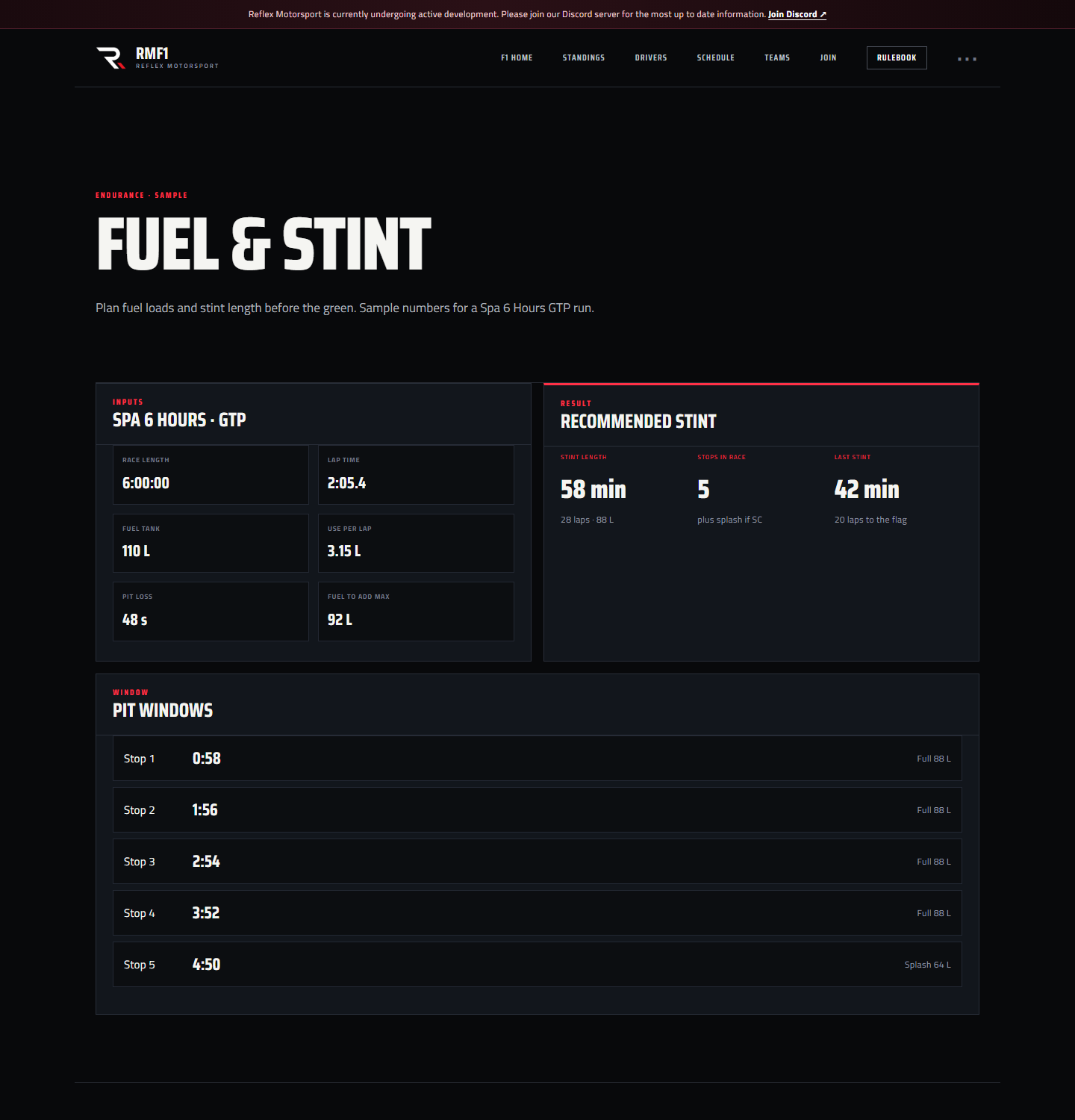
  • Endurance garageevent calendar, I’m interested, cars and lineups, plus fuel, stints, and prep on the race desk.
  • Discord — still the clubhouse. Slash commands and role sync stay in the loop; the site is the source of truth for the grid.

Team Principals

Where is my team office?

Sign in, then open Team Principal from your profile menu. You’ll see constructors linked to your Discord team role: division seats, remaining cap, live draft buttons, and roster actions.

How do I sign, reserve, or waive a driver?

In the Team Principal office, pick the division seat, then the action:

  • Request full-time signing — contract position is calculated from the salary table. Race Control may need to approve it.
  • Sign one-race reserve — $2M, tied to one race, then it expires.
  • Waive — drops the driver and applies the waiver fee to the cap.

Pending requests show on your cap panel until Race Control decides. Going over the $60M cap is allowed but it can cost constructor points — the rulebook has the brackets.

Do I still use Discord commands?

You can. /sign, /waive, /reserve, and /cap still work for the constructor you lead. The website is the easier place to see the whole picture before you commit.

Draft night

Two sessions: constructors first, then drivers. Everyone can watch. Only the Team Principal on the clock can pick.

How do I get into the room?

From Team Principal, hit Enter Draft Room when a draft is listed. Check in at the top. Selects stay locked until you are on the clock — then pick a remaining constructor or driver. The pick publishes immediately with a board popup.

What does the public board show?

The last pick stays up. This round lists who’s on the clock and who’s waiting. Draft summary on the right is the catch-up column. As soon as someone picks, the selection shows on the board.

Sample board

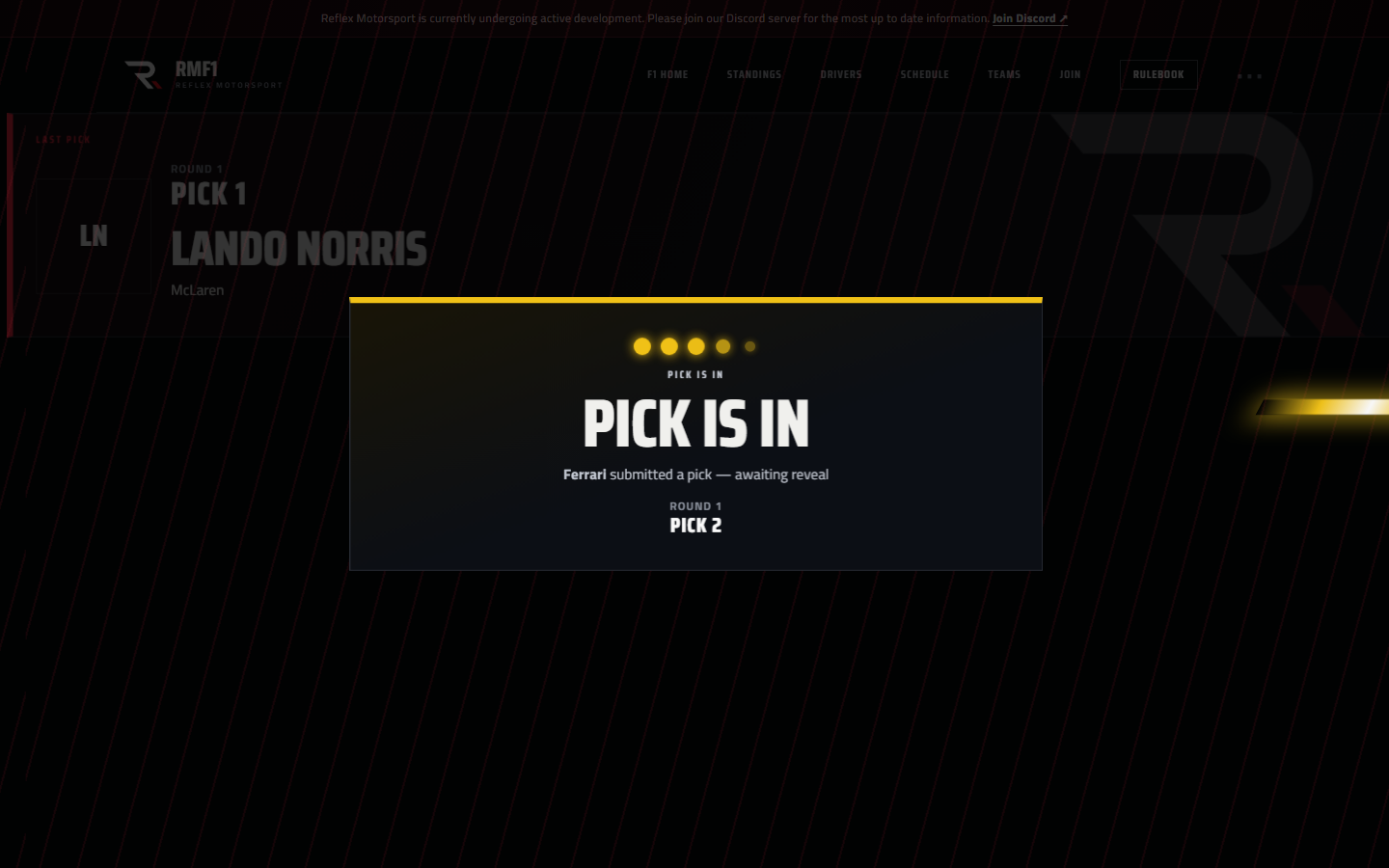
Pick locked in

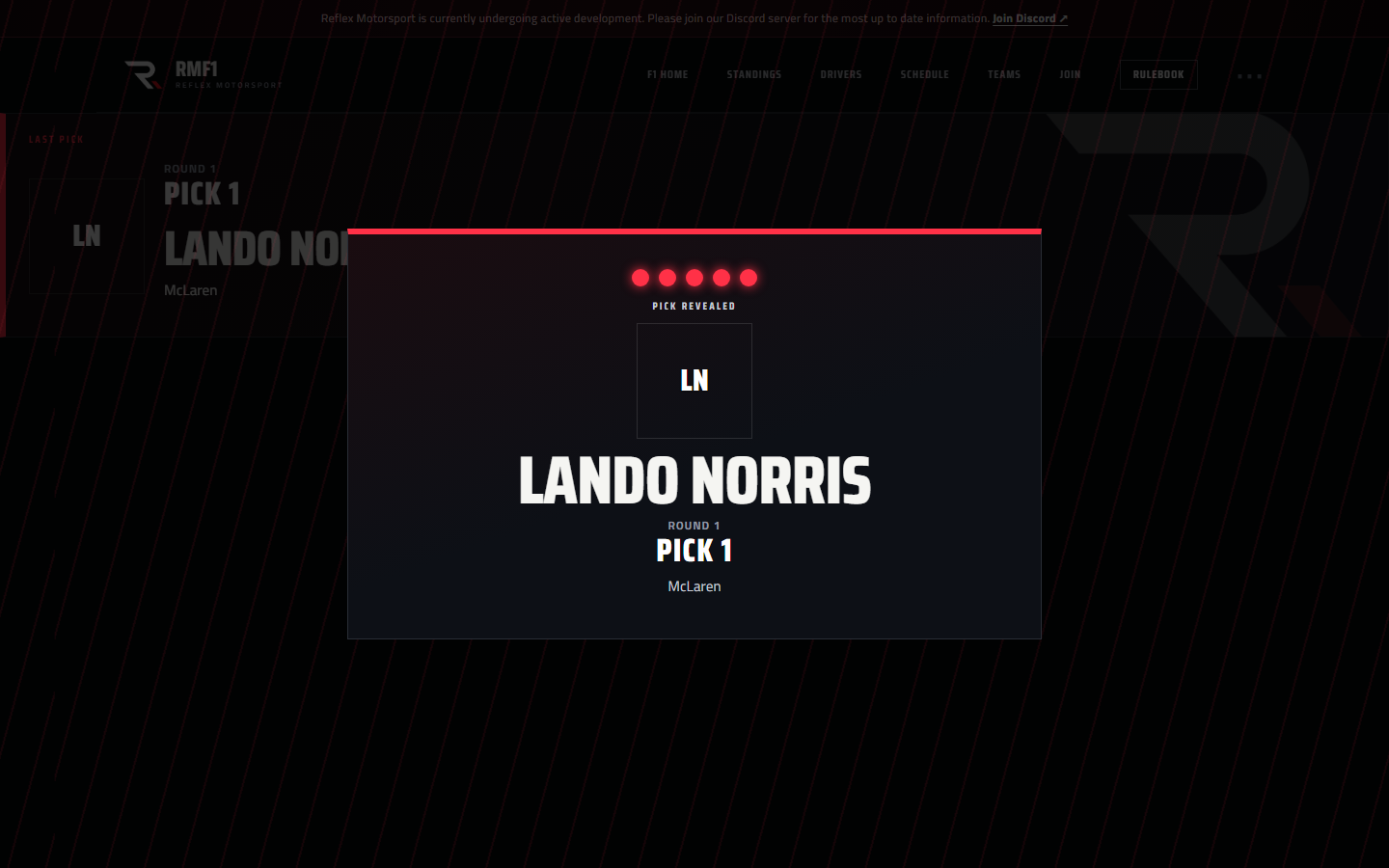
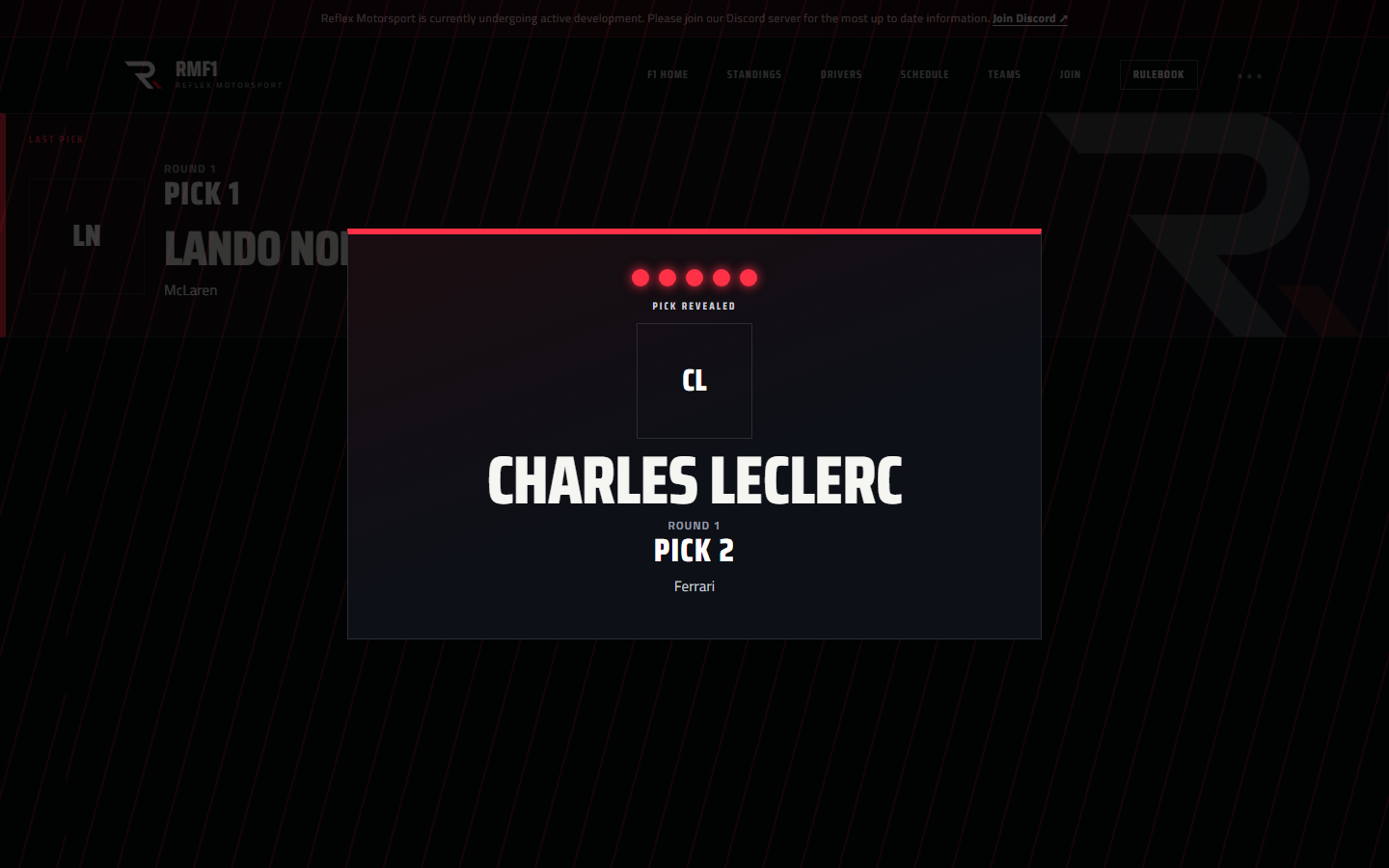
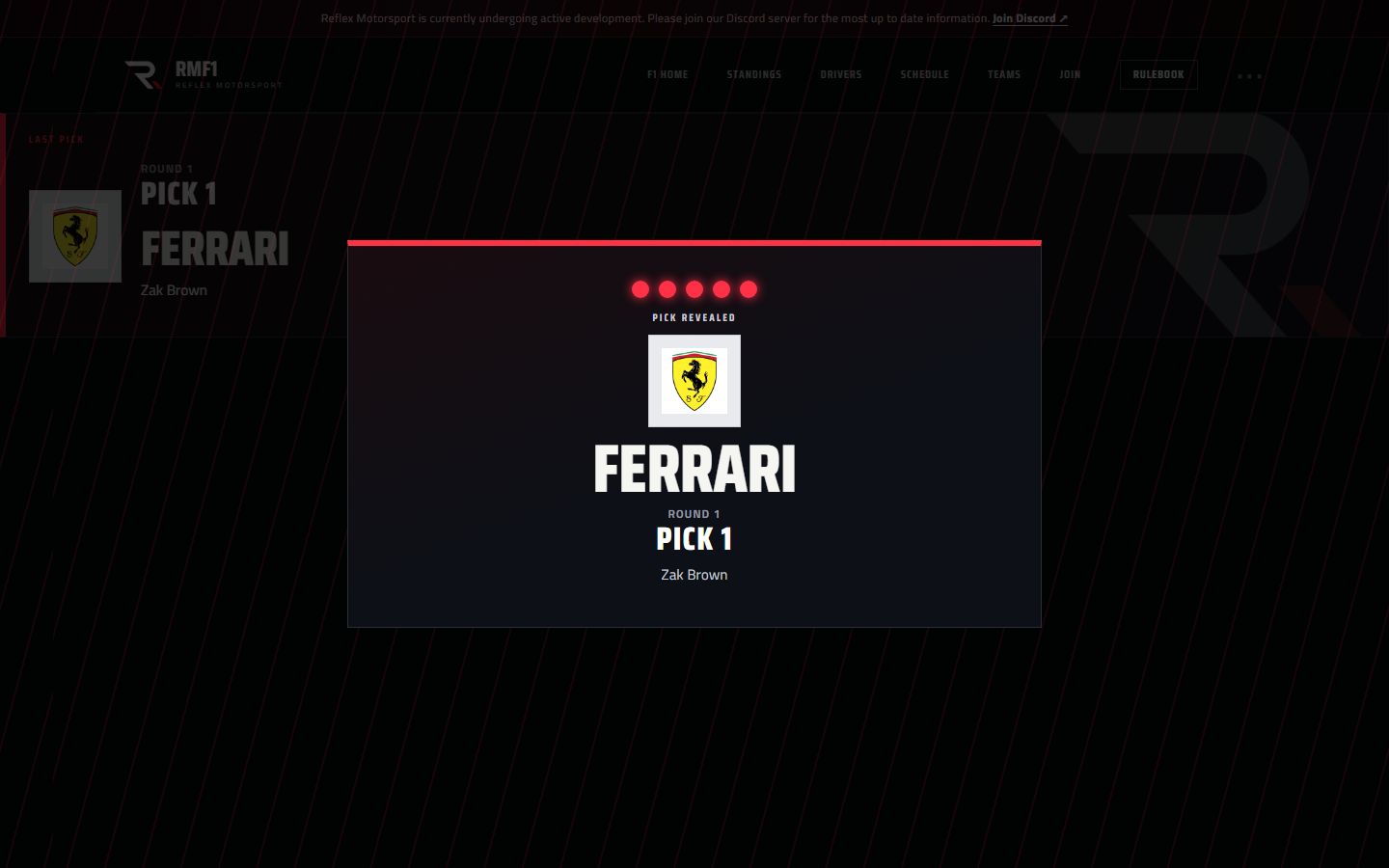
These are sample frames with the 2026 grid (Norris, Leclerc, Verstappen, Ferrari) so you can see the night before it starts. Tabs switch the overlay.

Driver selected

Round 1 Pick 1:

Lando Norris

McLaren

Gold Pick is in overlay: Ferrari submitted Round 1 Pick 2, with Lando Norris as last pick
Pick is in — Ferrari, Round 1 Pick 2
Red pick revealed overlay for Lando Norris, McLaren, Round 1 Pick 1
Reveal — Lando Norris to McLaren
Red pick revealed overlay for Charles Leclerc, Ferrari, Round 1 Pick 2
Reveal — Charles Leclerc to Ferrari
Red pick revealed overlay for Ferrari constructor, picked by Zak Brown
Constructor night — Ferrari is off the board
Sample driver profile for Max Verstappen with photo and Formula 1 career stats
Driver profile example — Max Verstappen
Sample driver profile for Caedon Allan with racing-suit portrait and Daniel Ricciardo career stats
Driver profile example — Caedon Allan

Coming soon

Draft and the Team Principal office are the focus right now. Next on the board:

  • Race check-in — drivers confirm they’re in for a session.
  • I’m interested (F1) — one button on a championship race so a driver can mark which F1 rounds they want to run.
  • Reserves available — a TP page for who can cover a seat this weekend.
  • Team Principal overhaul — a fuller office than today’s roster + cap desk.
  • Ticketing — incidents tied to results, pole, Twitch clips, and no-POV.
  • Host PC UDP collector — live session telemetry into race control.
  • iRacing stint remaining — a telemetry tool that estimates how much time is left in the current stint.
  • Endurance calendars & standings — iRacing and Le Mans Ultimate championship pages, after F1 ops are solid.

Questions between now and draft night? Ping Race Control in Discord.

Endurance garage

Events, interest, and race-week tools

The endurance club garage is live: upcoming races with I’m interested, plus fuel, stints, and prep on each race desk. These stills were the original mockups.
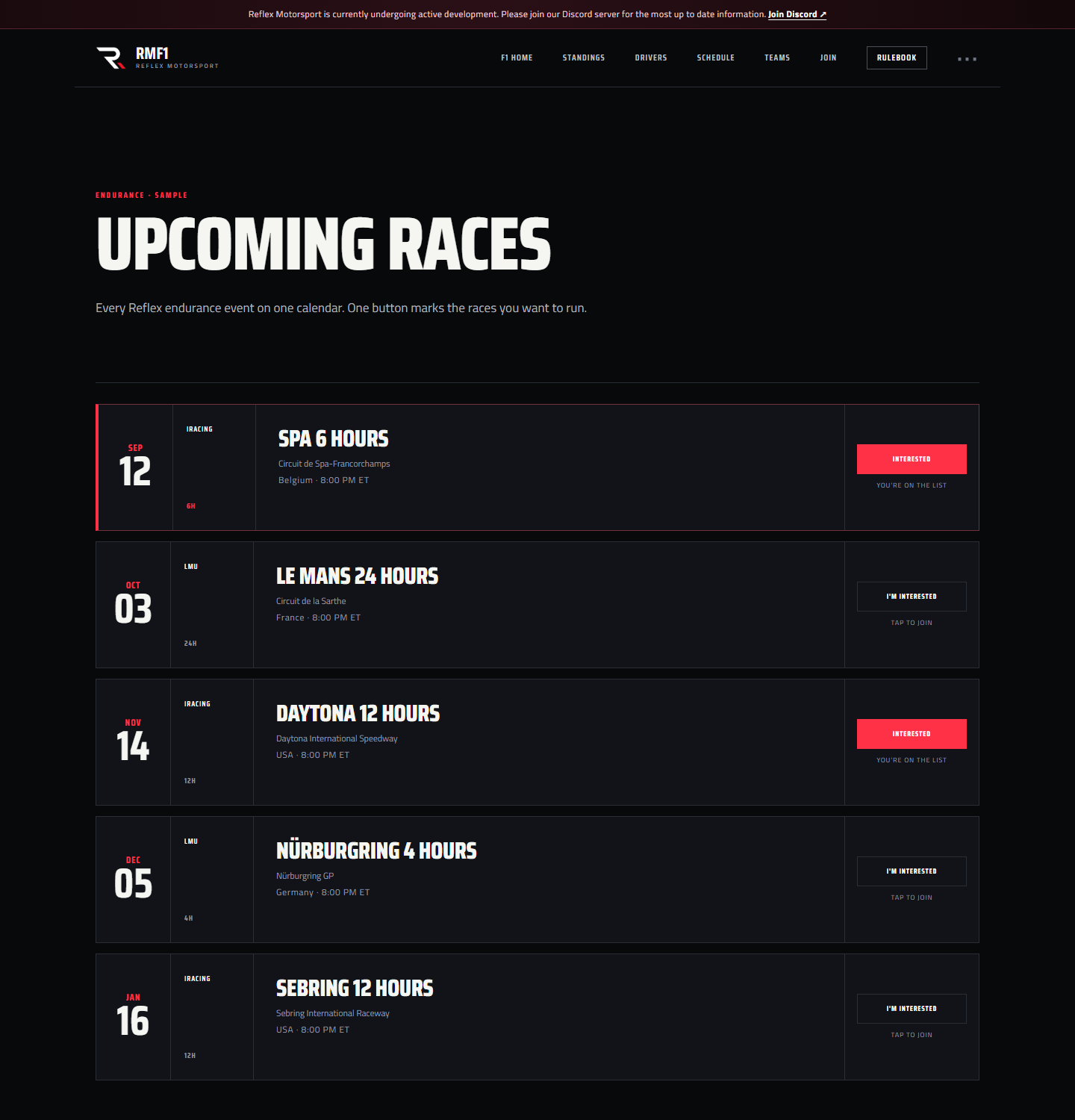
Sample upcoming endurance calendar with I'm interested buttons
Upcoming endurance races · I’m interested
Sample fuel and stint calculator for Spa 6 Hours
Fuel & stint calculator
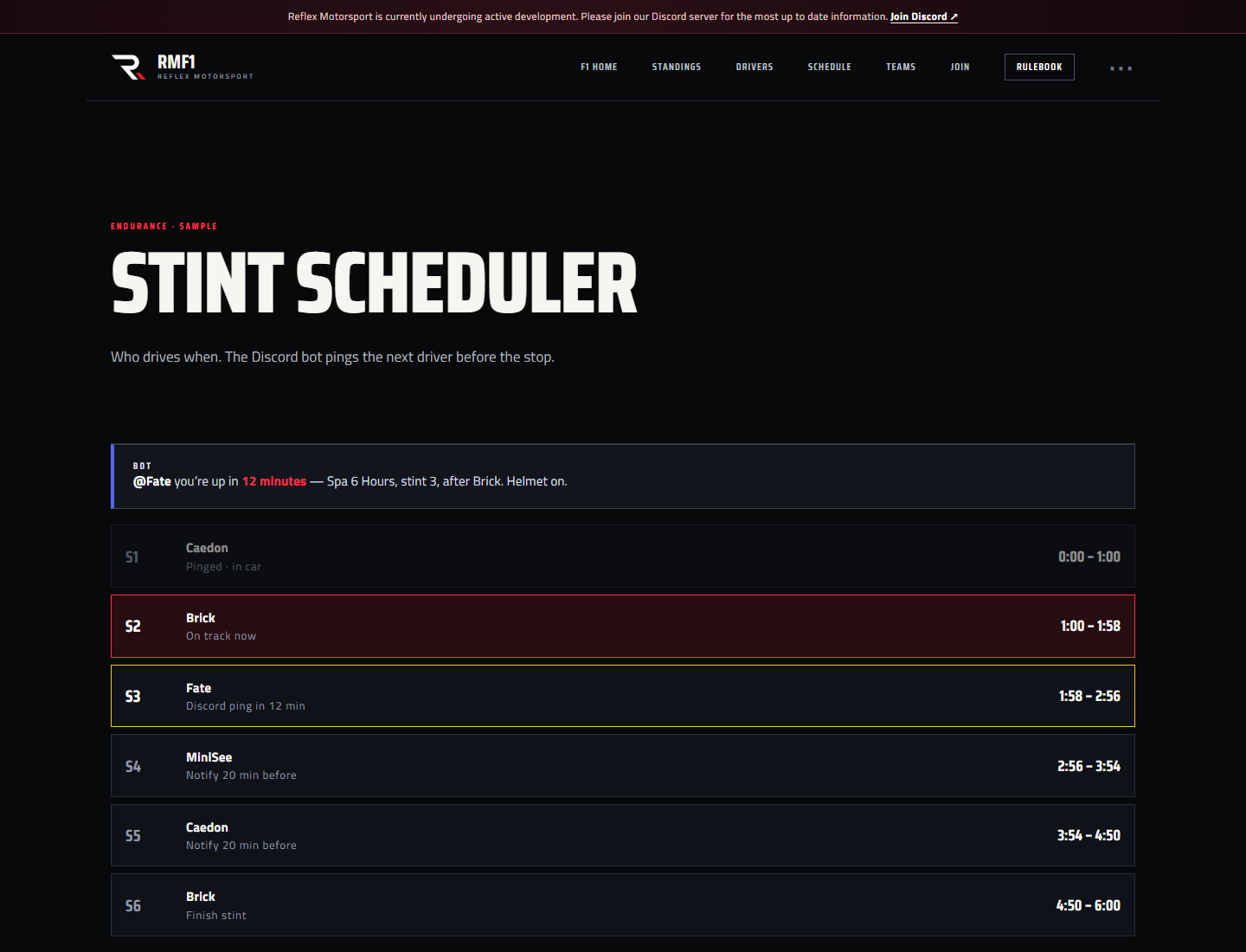
Sample stint scheduler with Discord bot ping
Stint scheduler · Discord ping
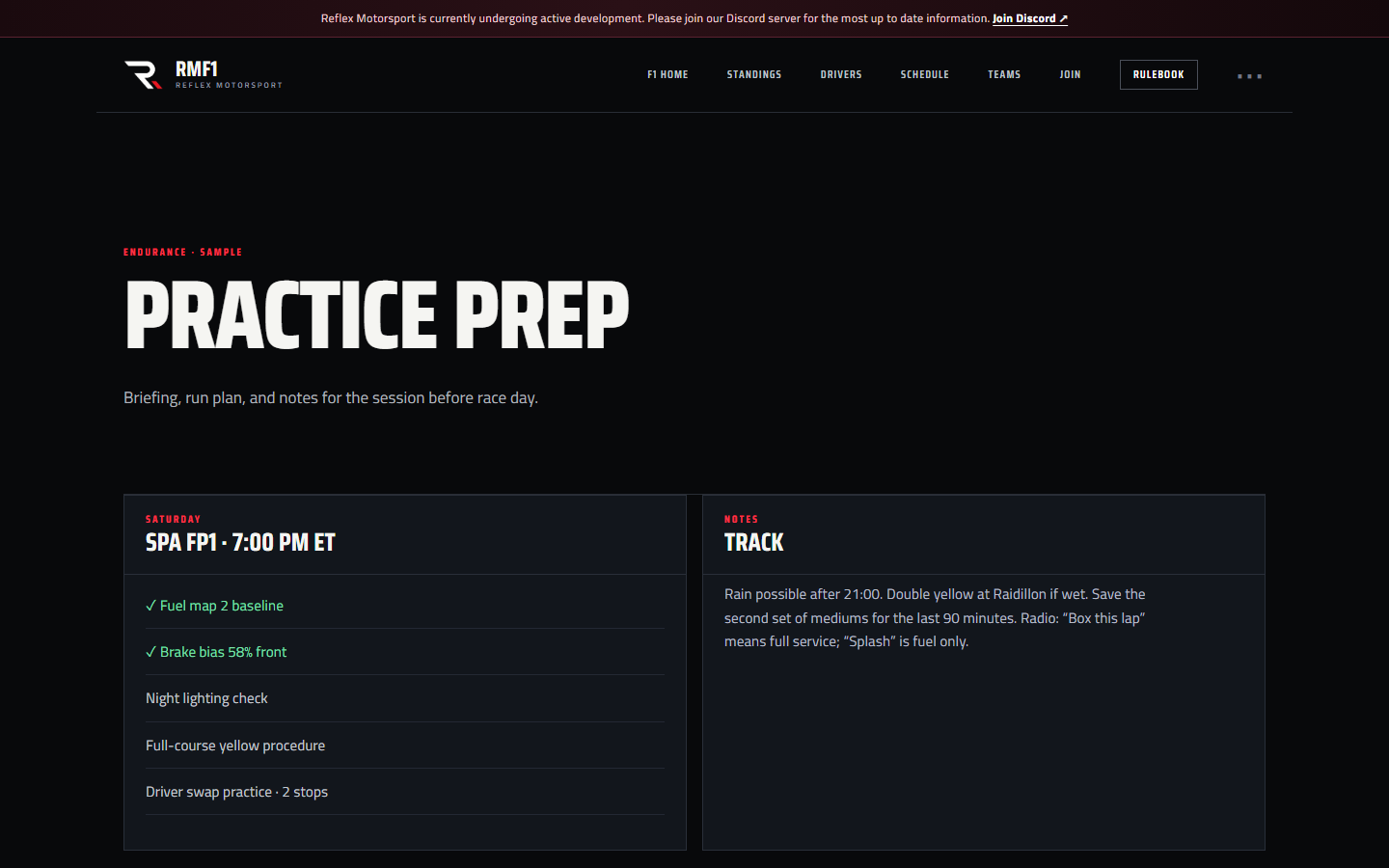
Sample endurance practice prep briefing
Practice prep